Why Knowing How to Pick a Discord Bot Name Matters
Your Discord bot’s name is its first impression — and on a platform with over 150 million monthly active users and thousands of bots competing for attention, first impressions matter. Before server admins read your bot’s description, before they check its features, before they type a single command — they see the name. And in the seconds that follow, they decide whether your bot feels trustworthy, professional, and worth adding to their community.
Learning how to pick a Discord bot name isn’t just a creative exercise — it’s a strategic decision that impacts your bot’s discoverability, credibility, and growth. A great bot name attracts users on listing sites like top.gg and discord.bots.gg. A weak name makes even the best bot invisible.
This guide walks you through exactly how to pick a Discord bot name that stands out from the crowd, communicates your bot’s purpose, and makes server admins excited to invite it. With 7 expert naming tips, 300+ creative name ideas across every bot category, and a free AI generator, you’ll have everything you need to name your bot with confidence.
Step 1: Understand What Makes a Discord Bot Name Great
Before diving into specific name ideas, let’s establish the principles of how to pick a Discord bot name that actually works. After analyzing the most successful bots on Discord, these patterns consistently emerge:
🎯 Purpose Is Clear from the Name
The best bot names communicate what the bot does without requiring explanation. “Dyno” suggests power and automation (and it’s a moderation bot). “Groovy” suggests music (and it was one of Discord’s most popular music bots). “MEE6” is unique but the “6” implies leveling and progression (which is its core feature). Your bot’s name should hint at its function.
🧠 Memorable in a Server List
Server members scroll through the member list constantly. Your bot’s name needs to be recognizable at a glance — distinctive enough to not blend into the list of hundreds of usernames, but not so bizarre that it looks out of place. Short, punchy names (1-3 syllables) work best for recognition.
🤝 Trustworthy and Professional
Server admins are granting your bot permissions — sometimes powerful ones like kicking members, managing channels, or accessing message history. A name that sounds sketchy, immature, or unprofessional undermines trust. “AdminHelper” inspires confidence. “xX_HackBot_420_Xx” does not. Your name should signal reliability.
🔍 Discoverable on Bot Listing Sites
Many users find bots through top.gg, discord.bots.gg, and other listing platforms. A name that includes keywords related to your bot’s function (or is unique enough to be searchable) helps with discoverability. Generic names get lost in search results.
😊 Friendly and Approachable
Discord communities are social spaces. Your bot is joining the conversation — literally. A name with personality makes interactions feel more natural. Users should feel comfortable typing your bot’s commands and seeing its name appear in chat. Friendly, clever, or playful names perform better than cold, corporate-sounding ones.
🔧 Command-Friendly
Many bots use their name (or a short version) as the command prefix. “MEE6” becomes “!rank” and “!level” commands. “Dyno” uses “?” as its default prefix. Consider how your bot’s name will work in commands — shorter names make for easier prefixes and slash commands.
Step 2: Choose Your Bot’s Naming Style
When learning how to pick a Discord bot name, understanding the different naming styles helps you choose a strategic direction. Most successful Discord bots fall into one of these categories:
| Style | Description | Examples | Best For |
|---|---|---|---|
| Abstract & Unique | Invented or modified words with no existing meaning | MEE6, Dyno, Arcane, Tatsumaki, OwO, Mudae | Multi-purpose bots, bots that want to build a strong brand, bots competing on top.gg rankings |
| Descriptive & Functional | Name directly describes what the bot does | GiveawayBot, Ticket Tool, Poll Bot, Counting Bot, Translator Bot | Single-purpose bots, utility tools, bots where clarity matters more than branding |
| Personality-Based | Named like a character or persona | Carl-bot, FredBoat, Pancake, Dank Memer, RickBot, Neko | Entertainment bots, bots with personality-driven interactions, community engagement bots |
| Gaming & Pop Culture | References games, anime, memes, or internet culture | Pokétwo, WaifuBot, TriviaBot, Mudae, Genshin Utilities | Gaming servers, anime communities, meme-focused bots |
| Wordplay & Clever | Puns, portmanteaus, or clever combinations | Groovy, Rhythm, Probot, Guilded, Wick, Vortex | Bots that want to feel smart and polished, professional server tools |
Step 3: 300+ Discord Bot Name Ideas by Category
Moderation Bot Names (60+)
Moderation bots need names that convey authority, reliability, and control — without feeling oppressive or intimidating. The best moderation bot names suggest order, protection, and efficiency. Server admins need to trust that your bot will handle permissions, kicks, bans, and automod professionally.
🛡️ Authoritative
Sentinel, Guardian, Warden, Overseer, Arbiter, Enforcer, Marshal, Commander, Custodian, Vigil, Aegis, Bastion, Paladin, Protector, Shield
⚡ Dynamic & Modern
Dyno, Arcane, Vortex, Apex, Nexus, Phalanx, Citadel, Bulwark, Rampart, Fortress, Beacon, Pinnacle, Zenith, Paragon, Keystone
🤖 Robot-Personality
ModBot, GuardBot, AdminBot, SafeBot, CleanBot, RuleBot, ScanBot, FilterBot, WatchBot, PatrolBot, ShieldBot, GateBot, CheckBot, AutoMod, VeriBot
Music Bot Names (60+)
Music bots dominated Discord before YouTube’s crackdown, but many still thrive using Spotify, SoundCloud, and other audio sources. Music bot names should evoke rhythm, sound, energy, and the joy of shared listening experiences. The best music bot names feel musical even before you hear a single track.
🎵 Rhythm & Sound
Groovy, Rhythm, Tempo, Melody, Harmony, Cadence, Vibe, Beat, Pulse, Resonance, Echo, Chord, Sonata, Crescendo, Allegro
🎤 Music-Centric
Jukebox, Mixtape, Turntable, Boombox, Headphones, Vinyl, Amplifier, Speaker, Playlist, Stereo, Radio, Microphone, Deck, Bass, Treble
🎧 Personality-Rich
FredBoat, DJBot, MusicMan, Songbird, Nightingale, Siren, Lark, Piper, Troubadour, Maestro, Virtuoso, Minstrel, Bard, Cantor, Lyric
Leveling & XP Bot Names (50+)
Leveling bots encourage server engagement by tracking activity, awarding XP, and displaying leaderboards. Their names should suggest progression, achievement, and friendly competition. The best leveling bot names make users want to climb the ranks.
📈 Progression
MEE6, Arcane, ProBot, Amari, Ranker, LevelUp, Ascend, Pinnacle, Climber, Evolve, Progress, Advance, Rise, Summit, ApexBot
🏆 Achievement
Trophy, Medal, Badge, Champion, Victor, Legend, Elite, Prestige, Mastery, GrandMaster, HallOfFame, Achieve, Conquest, Glory, Triumph
🎮 Game-Like
GrindBot, QuestBot, XP-Grinder, LootBox, ScoreBot, PointBot, StatTrack, Milestone, Leaderboard, RankUp, TierBot, LevelBot, PrestigeBot, Grindr, EXPonential
Fun & Entertainment Bot Names (60+)
Fun bots bring personality to Discord servers — memes, games, image generation, and random entertainment. These names should be playful, memorable, and reflective of the joy they bring to communities. The best fun bot names make people smile before the bot even responds to a command.
😂 Meme & Humor
Dank Memer, MemeLord, MemeMachine, JokeBot, RoastBot, SassBot, TrollBot, PunBot, WittyBot, Quipster, Jester, GagBot, ChuckleBot, Giggle, Snark
🎮 Mini-Game Focused
TriviaBot, QuizBot, GameBot, RiddleBot, Puzzler, BlackjackBot, CasinoBot, SlotBot, WordleBot, HangmanBot, ChessBot, TicTacBot, BingoBot, Roulette, PokerBot
🎲 Random & Quirky
Pancake, OwO, Neko, Mudae, Karuta, WaifuBot, GachaBot, RandomBot, DiceBot, CoinFlip, FortuneBot, TarotBot, Magic8, ChaosBot, Whimsy
Utility & Tool Bot Names (50+)
Utility bots serve specific functions — polls, tickets, giveaways, reminders, embeds, RSS feeds, and server management tools. Their names should clearly communicate purpose while remaining clean and professional. Server admins evaluating utility bots prioritize clarity and reliability.
🔧 Clear Function
Ticket Tool, GiveawayBot, PollBot, ReminderBot, SuggestionBot, WelcomeBot, InviteTracker, StatsBot, Logger, Translator, EmbedBot, RSSBot, TimerBot, BackupBot
⚙️ Multi-Tool Names
SwissBot, Toolbox, UtilityBot, HelperBot, Assistant, HandyBot, MultiBot, OmniTool, SwissArmy, Toolkit, AllPurpose, MultiTool, Helper, Aide, Concierge
🛠 Professional Polish
Craft, Forge, Anvil, Workshop, Loom, Foundry, Studio, WorkshopBot, LabBot, Architect, Builder, Maker, Creator, Artisan, Smith
Anime & Gaming Bot Names (50+)
Anime and gaming servers are among the largest communities on Discord. Bots in this category often reference characters, use Japanese-inspired naming, or incorporate gaming terminology. These names should resonate with the community’s cultural touchpoints.
🎌 Anime-Inspired
Mudae, Karuta, Neko, Senpai, KawaiiBot, WaifuBot, GachaBot, AnimeBot, MangaBot, OtakuBot, WeebBot, TsundereBot, Sakura, Hikari, Tenshi
🎮 Gaming General
Pokétwo, GenshinUtils, ValorantBot, LeagueBot, MinecraftBot, FortniteBot, ApexBot, WarzoneBot, DestinyBot, EldenBot, CyberBot, GameStats, EsportsBot, RaidBot, DungeonBot
👾 Gaming Vibe
Pixel, Quest, Loot, Grind, Spawn, Respawn, CritBot, PowerUp, ComboBot, HighScore, Achievement, BossBot, NPC, SavePoint, Checkpoint
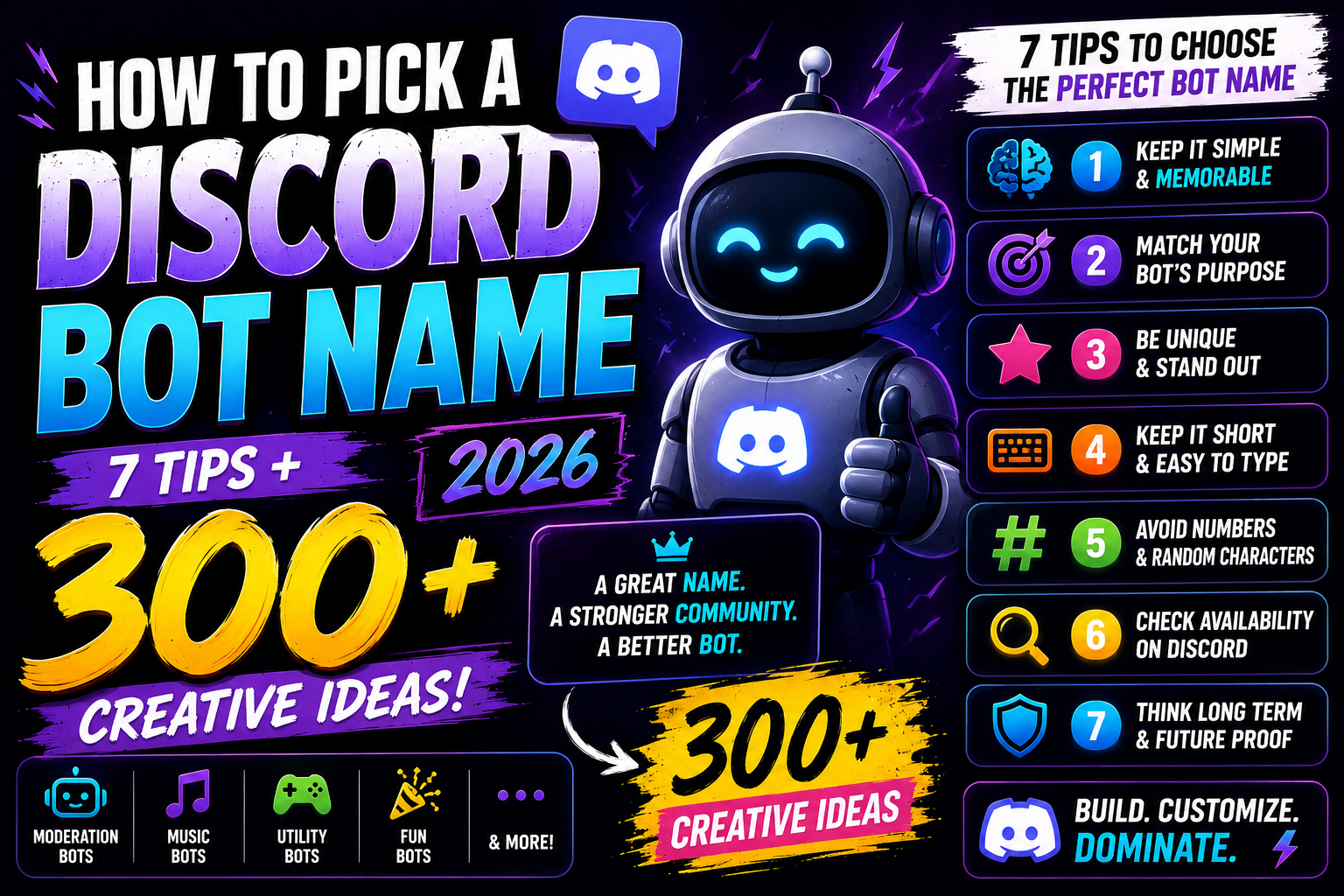
Step 4: Follow the 7 Expert Tips for How to Pick a Discord Bot Name
Keep It Short and Command-Friendly
The most popular Discord bots have names between 3-8 characters. MEE6 (4). Dyno (4). Arcane (6). Carl-bot (8). Shorter names are easier to type as prefixes, easier to remember, and look cleaner in the member list. If your bot uses slash commands, shorter names reduce typing friction for users. Aim for 3-10 characters.
Make It Unique and Searchable
Generic names like “MusicBot” or “ModBot” are impossible to search for — there are dozens of bots with those names on listing sites. A unique name like “Groovy” or “Dyno” is instantly searchable and builds a distinctive brand. Before committing to a name, search it on top.gg and Google. If multiple bots share the name, choose something more distinctive.
Hint at Function Without Being Boring
“Groovy” suggests music without being “MusicBot.” “Dyno” suggests dynamic power without being “AdminBot.” “Arcane” suggests mystery and capability without being “LevelBot.” The sweet spot is a name that gives a subtle clue about your bot’s purpose while remaining distinctive. Users should think “that sounds interesting” — not “that sounds generic.”
Avoid Numbers and Special Characters (Usually)
Numbers in bot names can work (MEE6, Tatsumaki) but usually signal “the original name was taken.” If you’re starting fresh, aim for a name that doesn’t need numbers. Avoid special characters that make the name hard to type or remember. Exceptions exist — MEE6 made “6” part of its identity — but they’re exceptions, not the rule.
Consider Your Bot’s Personality
Is your bot serious and professional? Playful and meme-loving? Anime-obsessed? Gaming-focused? The name should telegraph personality. “Carl-bot” feels like a helpful friend. “Dank Memer” promises chaos and humor. “Arcane” suggests sophistication. Your bot’s name is the first character trait users will perceive — make it match the experience you’re building.
Check Availability Before You Commit
Before you invest in development, branding, and promotion, verify that your bot name is available on: Discord (no existing popular bot with the same name), top.gg (the largest bot listing site), discord.bots.gg (Discord’s official bot list), GitHub (for your code repository), and social media (Twitter, Reddit for your bot’s community). Use our social handle checker to verify availability across platforms.
Test the Name with Real Discord Users
Before finalizing, share your top 3-5 name ideas with people who actually use Discord. Ask: “What kind of bot does this sound like?” “Would you trust this bot with moderation permissions?” “Is this name easy to remember and type?” Feedback from your target audience catches blind spots you’ll miss. A name that sounds brilliant to you might confuse your users.
Step 5: Learn from the Most Popular Discord Bots
Studying the naming patterns of successful bots reveals what works. Here’s how the most popular bots on Discord approached naming — and what you can learn from each:
| Bot Name | Category | Naming Secret | Lesson for Your Bot |
|---|---|---|---|
| MEE6 | Leveling & Moderation | Abstract name combining letters and a number. “MEE” sounds friendly and personal. “6” implies progression and levels. Together: a friendly bot that helps you level up. | Numbers can work if they’re integrated into the concept. “MEE6” is not “MEE” with a random number — the 6 is part of the identity. If you use numbers, make them meaningful. |
| Dyno | Moderation | Short for “dynamic” — suggesting power, flexibility, and automation. One syllable. Easy to remember. Easy to type. The name implies the bot handles things dynamically. | Short, powerful words make excellent bot names. “Dyno” is more memorable than “DynamicModerationBot.” Distill your bot’s essence to its core. |
| Carl-bot | Multi-purpose | Named like a person — approachable, friendly, helpful. “Carl” is an ordinary name that suggests reliability and approachability. The “-bot” suffix clarifies it’s automated. | Human names with “-bot” create an approachable, friendly vibe. The name suggests “Carl is here to help” — exactly the feeling you want from a multi-purpose utility bot. |
| Dank Memer | Fun & Memes | Directly references internet meme culture. “Dank” is meme-speak for high-quality. “Memer” is self-explanatory. The name is a promise: this bot delivers quality memes. | If your bot serves a specific subculture or community, using the community’s language signals belonging. “Dank Memer” speaks meme. Your bot should speak your community’s language. |
| Groovy | Music | Evokes music, rhythm, and good vibes without being literal. “Groovy” is a word associated with music and enjoyment for decades. It’s distinctive, positive, and memorable. | Suggestive names often outperform descriptive ones. “Groovy” is more interesting than “MusicBot.” Find a word that captures your bot’s vibe, not just its function. |
| Arcane | Leveling & Utility | Suggests mystery, power, and hidden knowledge. The name feels premium and sophisticated. It doesn’t explicitly say what the bot does — it invites curiosity. | Abstract, premium-feeling names can elevate your bot above the competition. “Arcane” sounds more sophisticated than “LevelBot.” Your name sets expectations about quality. |
Tools to Help You Pick a Discord Bot Name
NameSpark offers free tools specifically designed for how to pick a Discord bot name:
🤖 Discord Bot Name Generator
Describe your bot’s purpose, personality, and target audience. Get AI-powered, Discord-appropriate name suggestions instantly.
🔀 Name Combiner
Mix and match keywords related to your bot’s function to create unique, memorable combinations.
📱 Social Handle Check
Verify your bot name’s availability across Discord, Twitter, Reddit, GitHub, and top.gg.
📊 Brand Name Scorer
Rate your bot name ideas on memorability, uniqueness, and brand potential.
🔊 Pronunciation Tool
Hear how your bot’s name sounds when spoken aloud. Does it sound professional? Trustworthy? Cool?
🌐 Domain Checker
If you’re building a bot website or dashboard, check if your bot’s domain name is available.
Common Mistakes When Learning How to Pick a Discord Bot Name
Mistake #1: Choosing a Name That’s Already Taken by a Popular Bot
You name your bot “Dyno” — but Dyno already has millions of users. Your bot will never rank on listing sites, never appear in search results, and constantly be confused with the established bot. Fix: Search top.gg, discord.bots.gg, and Google before committing to any name. If a popular bot already uses it, choose something else.
Mistake #2: Making the Name Too Generic
“MusicBot,” “ModBot,” “HelperBot.” Generic names are invisible. They don’t build a brand, don’t stand out in bot lists, and don’t give users a reason to choose your bot over alternatives. Fix: Add personality. “Melody” is better than “MusicBot.” “Sentinel” is better than “ModBot.” “Concierge” is better than “HelperBot.” Distinctive names build recognition.
Mistake #3: Ignoring How the Name Sounds in Commands
If your bot uses text commands, users will type its name (or its prefix) constantly. “/supercalifragilisticexpialidocious play song” is exhausting. “!dyno ban @user” flows naturally. Fix: Test how your bot’s name works in common command patterns. Short names and prefixes reduce friction. Every extra character is a tiny barrier to usage.
Mistake #4: Using Inappropriate or Controversial Names
Racist, sexist, or otherwise offensive names won’t just limit your bot’s growth — they’ll get it banned from listing sites and potentially from Discord itself. Even edgy humor that some communities enjoy will limit which servers are willing to add your bot. Fix: Keep it clean. Your bot’s name should be acceptable in any server — gaming communities, professional Discord servers, educational groups. Broad appeal maximizes growth.
Mistake #5: Changing the Name Frequently
You launch as “CoolBot.” Then rebrand to “AwesomeBot.” Then “SuperBot.” Users lose track. Server admins who added the original name don’t recognize the new one. Trust evaporates. Fix: Invest time upfront learning how to pick a Discord bot name that lasts. Choose a name you’ll be happy with for years. Rebranding a bot is possible — but it’s costly in user trust and recognition.
Frequently Asked Questions About How to Pick a Discord Bot Name
Can I change my Discord bot’s name after it’s been added to servers?
Yes — you can change your bot’s username in the Discord Developer Portal at any time. The change will reflect across all servers instantly. However, this can confuse existing users who are accustomed to the old name. If you must rebrand, communicate the change clearly to your user base, update your bot’s profile picture to match the new name, and consider keeping the old name as a nickname or alias during a transition period. Better yet — invest the time upfront to pick a name you’ll stick with using this guide’s framework.
Should my Discord bot name include “Bot” in the title?
It depends on your naming style. Personality-based names often include “Bot” (Carl-bot, FredBoat, GiveawayBot) — it clarifies that the entity is automated and feels friendly. Abstract names usually don’t (Dyno, Arcane, MEE6, Groovy) — the distinctiveness of the name itself signals it’s a bot. Both approaches work. If your name is an ordinary word or human name, adding “Bot” or “-bot” helps users immediately understand what it is. If your name is already distinctive, “Bot” is optional.
How do I make sure my Discord bot name isn’t already taken?
Check multiple sources: (1) top.gg — search for your name to see if any established bot uses it. (2) discord.bots.gg — Discord’s official bot listing. (3) Google — search “[your name] Discord bot” to see what appears. (4) Discord itself — ask in bot development servers if anyone recognizes the name. (5) Social media and GitHub — check if the name is used for bot-related accounts. For more comprehensive availability checking, use our social handle checker.
What makes a Discord bot name feel “professional”?
Professional bot names share several traits: they’re short and clean (no excessive punctuation, numbers, or special characters), they avoid meme references that might age poorly, they sound trustworthy (words like “Sentinel,” “Guardian,” “Arcane,” “Aegis” carry weight), and they’d look appropriate on a resume or business website. A good test: would a large professional server with thousands of members feel comfortable having this bot name in their member list? If yes, it passes the professionalism test.
Can I use trademarked names or characters for my Discord bot?
Legally risky — and against Discord’s Terms of Service if the trademark holder complains. Naming your bot “Pokémon Helper” or “Marvel Game Bot” may attract a cease-and-desist letter, and Discord may remove your bot. It’s safer to create original names inspired by your favorite IPs rather than directly copying them. “Pokétwo” cleverly references Pokémon without using the trademark directly. “Mudae” is inspired by anime culture without naming any specific series. Be inspired, not infringing. For more on naming and intellectual property, read our complete naming guide.
Your 7-Step Action Plan for How to Pick a Discord Bot Name
Define Your Bot’s Purpose and Personality
What does your bot do? Who’s it for? What’s its vibe — professional, playful, anime-inspired, gaming-focused?
Choose Your Naming Style
Abstract and unique, descriptive and functional, personality-based, gaming/pop culture, or wordplay/clever. Match the style to your bot’s identity.
Browse the 300+ Name Ideas
Find names in your bot’s category that resonate. Note the patterns you’re drawn to.
Generate Custom Ideas
Use our Discord bot name generator with your bot’s description to create personalized suggestions.
Check Availability Thoroughly
Search top.gg, discord.bots.gg, Google, GitHub, and social media. Eliminate names already in use by popular bots.
Test with Your Target Users
Share your top 3 names with Discord users. Ask what kind of bot they expect. Trust their feedback.
Lock It In and Build Your Brand
Once you’ve found the name, register it in the Discord Developer Portal, secure social handles, and start building your bot’s identity.
Conclusion: Your Bot’s Name Is Its First Feature
Learning how to pick a Discord bot name is about understanding that your bot’s name does real work. It’s the first thing potential users see on listing sites. It’s what server admins type when they invite your bot. It’s what community members see in their member list every single day. A great name attracts users. A weak name repels them — even if your bot’s features are superior.
The Discord bot landscape is competitive. Thousands of bots vie for attention across moderation, music, gaming, utilities, and entertainment. Your name is your first competitive advantage — and unlike complex features that take months to build, it’s something you can get right today.
Use this guide’s frameworks. Browse the 300+ ideas. Test names with real Discord users. Generate custom options with our AI tool. And when you find the name that’s short, unique, suggestive, professional, and unmistakably yours — lock it in. Your bot’s journey starts with its name. Make it count.
Generate Discord bot names now → — free, instant, no account required.
Then use our social handle checker to verify availability across Discord, GitHub, and social media. Your perfect bot name is waiting.