Last Updated: January 15, 2026
Why Knowing How to Check Domain Availability Is Critical
Every minute of every day, approximately 70-100 domain names are registered across the internet. That’s over 100,000 domains claimed daily — and every single one of them is a name that someone else can no longer have. Learning how to check domain availability quickly and accurately isn’t just a technical skill — it’s a competitive advantage that can save you thousands of dollars and months of branding heartache.
According to Verisign’s Domain Name Industry Brief, there are over 350 million registered domain names across all top-level domains (TLDs) as of 2024. The .com TLD alone accounts for over 160 million registrations. Finding an available domain — especially a short, memorable .com — is increasingly challenging. The name you thought of this morning might be registered by this afternoon.
This guide teaches you exactly how to check domain availability using five different methods — from instant bulk checkers to WHOIS lookups to registrar searches. You’ll learn which tools are fastest, which are most accurate, and how to avoid common mistakes that lead people to believe a domain is available when it’s actually not.
Step 1: Understand Domain Basics Before You Search
Before learning how to check domain availability, you need to understand what you’re actually checking. A domain name is your website’s address on the internet — the thing people type into their browser to find you. It consists of two main parts: the second-level domain (the name you choose, like “namespark”) and the top-level domain or TLD (the extension, like “.com” or “.tools”).
Domain Structure Breakdown:
🌐 Second-Level Domain (SLD)
This is the actual name you’re choosing — “google” in google.com, “namespark” in namespark.tools. This is the creative, brandable part that you have control over. SLDs can contain letters (a-z), numbers (0-9), and hyphens (but cannot start or end with a hyphen). They’re case-insensitive and can be up to 63 characters long — though shorter is almost always better.
🔖 Top-Level Domain (TLD)
The extension after the dot. The most common TLDs include gTLDs (generic TLDs like .com, .org, .net), ccTLDs (country-code TLDs like .uk, .jp, .de, .ca), and new gTLDs (modern extensions like .io, .app, .dev, .blog, .shop). .com remains the most trusted and valuable TLD, but alternatives like .io (tech), .co (startups), and .ai (artificial intelligence) have gained credibility.
💲 Domain Pricing
Standard domain registration typically costs $8-15 per year for common TLDs. Premium domains (short words, common phrases, high-value keywords) can cost hundreds, thousands, or even millions. Some TLDs (.io, .ai) have higher annual renewal fees ($30-80/year). Always check renewal pricing before registering — not just the first-year promotional rate.
🔒 Registration vs. Availability
A domain showing as “available” means it can be registered right now. A domain that’s “taken” or “registered” is owned by someone else — but it might still be for sale, parked (showing ads), or unused. Availability is not the same as accessibility. Even if a domain is taken, you may be able to purchase it from the current owner through a domain marketplace or broker.
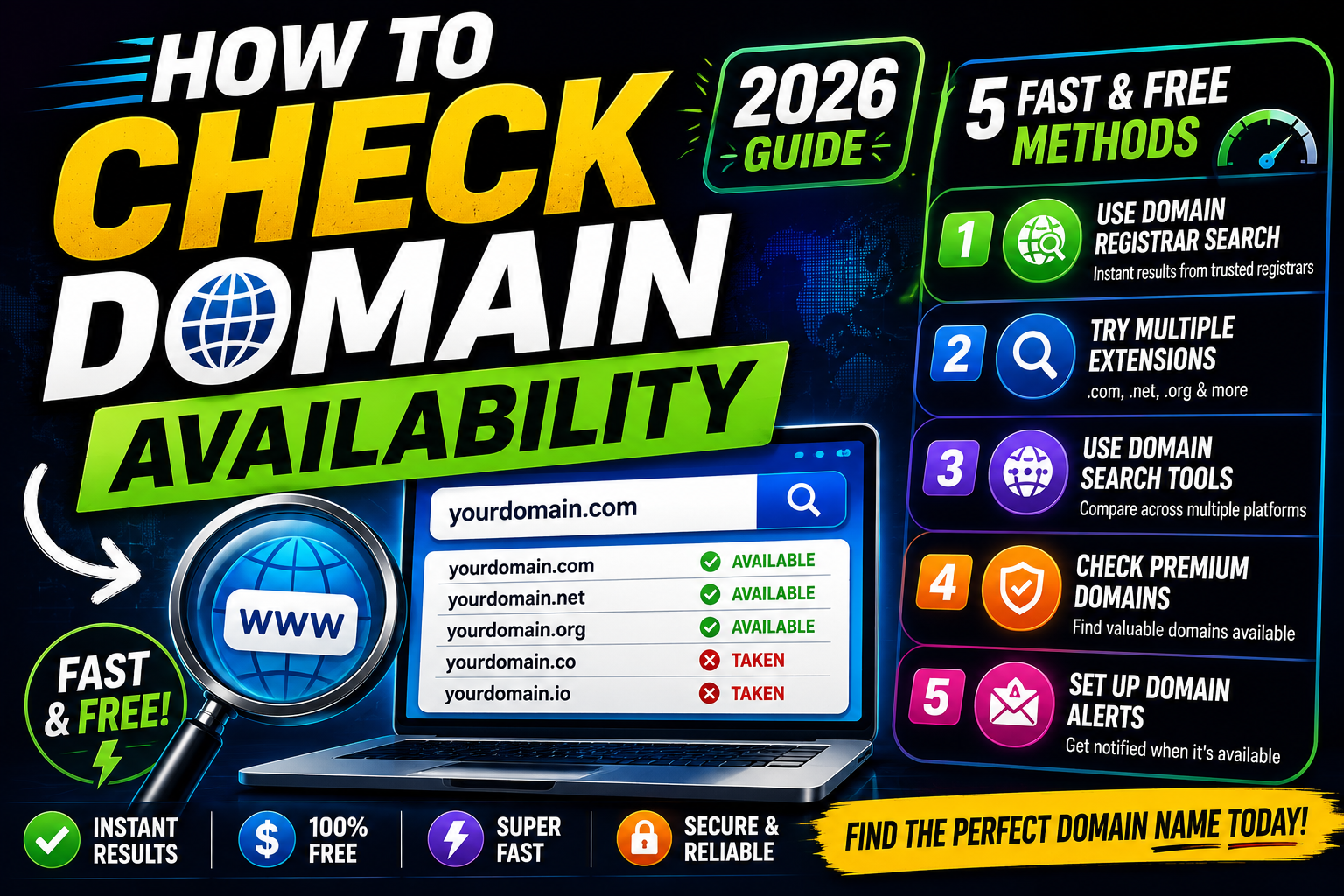
Step 2: The 5 Best Methods for How to Check Domain Availability
Method 1: Use a Free Domain Availability Checker (Fastest)
The fastest way to learn how to check domain availability is using a dedicated domain checker tool. These tools query domain registries in real time and return instant results across multiple TLDs. Our free domain availability checker scans 20+ TLDs simultaneously and shows you exactly what’s available, what’s taken, and what might be available as a premium purchase.
What to Look for in a Domain Availability Checker:
- Real-time WHOIS queries — Not cached results that may be hours or days old
- Multiple TLD support — Checks .com, .net, .org, .io, .co, .app, .dev, and country TLDs simultaneously
- Bulk search capability — Check multiple domain ideas at once, not one at a time
- Alternative suggestions — If your domain is taken, get smart alternatives instantly
- Premium domain detection — Identifies domains that are registered but available for purchase
- Privacy protection — Some registrars have been caught front-running (registering domains users search for). Use a trusted checker that doesn’t share your searches.
Method 2: Search Through a Domain Registrar (Most Direct)
Major domain registrars like Namecheap, Google Domains (now Squarespace), GoDaddy, and Cloudflare Registrar all offer domain search tools on their homepages. The advantage of searching directly through a registrar is that if your domain is available, you can register it immediately — no extra steps, no delay.
Method 3: Perform a WHOIS Lookup (Most Detailed)
WHOIS is the protocol that queries domain registration databases. A WHOIS lookup tells you not just whether a domain is available, but who owns it, when it was registered, when it expires, and which registrar manages it. This method is essential when you need detailed information about an already-registered domain — perhaps you want to contact the owner about purchasing it, or you want to know when it might expire.
What WHOIS Reveals:
- Registrant information — Name, organization, email (may be privacy-protected)
- Registration and expiration dates — Critical for tracking when domains might become available
- Registrar information — Which company manages the domain
- Name servers — Where the domain points (indicates if the domain is actively used)
- Domain status — Active, expired, pending deletion, locked, etc.
Free WHOIS lookup tools are available through ICANN Lookup and most domain registrars. For domains with privacy protection enabled (increasingly common), the registrant’s personal information will be hidden behind a proxy service — but the registration dates, registrar, and status are still visible.
Method 4: Bulk Domain Search (Best for Multiple Ideas)
If you have a list of potential domain names, checking them one by one is painfully slow. Bulk domain search tools let you paste a list of domains and check availability for all of them simultaneously. This is invaluable when you’ve brainstormed dozens of brand name ideas and need to filter them by domain availability quickly.
Our domain availability checker supports bulk searches — paste up to 50 domain ideas at once and see instant results across all major TLDs. This is the most efficient way to narrow a long list of naming ideas to a shortlist of actually available domains.
Method 5: Check Domain Aftermarket and Expired Domains
Sometimes the perfect domain appears taken — but it might still be obtainable. Learning how to check domain availability includes understanding the domain aftermarket: domains that are registered but available for purchase from their current owners.
Domain Aftermarket Options:
🏪 Domain Marketplaces
Platforms like Sedo, Afternic, and Flippa connect domain sellers with buyers. You can search for domains that are for sale, negotiate prices, and purchase through secure escrow services. Prices range from hundreds to millions of dollars.
⏰ Expired Domains
When domain owners don’t renew, domains go through a lifecycle: active → expired → redemption period → pending deletion → available. Services like ExpiredDomains.net track domains approaching deletion. You can backorder domains through services like SnapNames or DropCatch to automatically attempt registration the moment they become available.
Step 3: Avoid These Domain Availability Checking Mistakes
Mistake #1: Assuming .com Is the Only Option
While .com is the most trusted TLD, it’s not always available — and it’s not always necessary. For tech startups, .io has become widely accepted (notion.so, linear.app, intercom.io). For AI companies, .ai is increasingly credible. For nonprofits, .org is standard. For country-specific businesses, ccTLDs like .co.uk, .de, or .jp often outperform .com locally. Fix: Check availability across multiple TLDs simultaneously using our domain checker. Don’t abandon a great name just because .com is taken — but do have a strategy for which alternative TLD works for your audience.
Mistake #2: Not Checking Social Media Handles Simultaneously
Your domain might be available, but are the matching social media handles? Inconsistent branding — “CoolBrand.com” but “@CoolBrandOfficial” on Instagram because someone else grabbed the clean handle — fragments your online presence. Fix: Check domain availability and social handle availability at the same time. Our social handle checker verifies availability across Twitter/X, Instagram, Facebook, TikTok, and LinkedIn while you check domains. Consistency matters.
Mistake #3: Waiting Too Long to Register
This is the most expensive mistake in domain buying. You find an available domain. You decide to “think about it.” You come back tomorrow. It’s gone — registered by someone else, or snatched by a domain investor, or picked up by an automated system. Now it’s listed for $2,000 on a marketplace. Fix: When you find an available domain you genuinely want, register it immediately. Domains cost $8-15 per year. That’s $1.25 per month. The regret of losing a great domain costs much more.
Mistake #4: Searching on Unreliable or Outdated Tools
Not all domain checkers query live WHOIS data. Some rely on cached databases that may be hours or days old. A domain showing “available” on a cached checker might actually have been registered yesterday. Fix: Use tools that perform real-time WHOIS queries. Our domain availability checker queries live data from domain registries, not stale caches. If you’re serious about a domain, verify availability on multiple independent tools before celebrating.
Mistake #5: Ignoring Trademark Conflicts
A domain can be available but legally risky. Registering “GoogleShop.com” or “NikeStore.net” might be technically possible if those exact domains aren’t registered — but you’ll quickly face trademark infringement claims, UDRP (Uniform Domain-Name Dispute-Resolution Policy) proceedings, and potential legal action. Fix: Before registering any domain, search the USPTO trademark database (or your country’s equivalent) to ensure you’re not infringing on existing trademarks. Domain availability is not the same as legal availability.
Step 4: What to Do After You Find an Available Domain
You’ve learned how to check domain availability, run your searches, and found the perfect available domain. Here’s what to do next — in order, without delay:
Register Immediately
Do not wait. Do not “think about it overnight.” Do not share the domain with friends for feedback first. Register it now. At $8-15 per year, the cost of immediate registration is trivial compared to the cost of losing the domain. Domains disappear every minute.
Register for Multiple Years
Domain registration for 1 year is the minimum — but registering for 3-5 years signals to search engines that you’re committed (a minor SEO factor), prevents accidental expiration, and locks in your renewal price. It also prevents competitors from sniping your domain if you forget to renew.
Enable Auto-Renewal
Set your domain to auto-renew. Every year, thousands of domains expire because owners forget to renew or their credit card on file expired. Auto-renewal with a valid payment method prevents this nightmare scenario. Set calendar reminders 30 and 7 days before renewal as backup.
Add Domain Privacy Protection
WHOIS privacy protection (often free or ~$5/year) hides your personal contact information from the public WHOIS database. Without it, anyone can look up your name, address, email, and phone number associated with the domain. This protects you from spam, harassment, and identity exposure.
Register Related TLDs and Misspellings
Consider defensively registering common alternative TLDs (.net, .org, .co) and obvious misspellings of your domain. Redirect them all to your main domain. This prevents cybersquatting, protects your brand, and captures traffic from people who mistype your URL. Budget permitting, this is cheap brand insurance.
Secure Social Media Handles
Simultaneously register your brand name on Twitter/X, Instagram, Facebook, LinkedIn, TikTok, YouTube, and any platforms relevant to your audience. Even platforms you don’t plan to use immediately — secure the handle now to prevent brand fragmentation later.
Domain Availability Checking Tools Comparison
| Tool / Method | Speed | TLDs Checked | Bulk Search | WHOIS Detail | Best For |
|---|---|---|---|---|---|
| Domain Availability Checker | Instant | 20+ TLDs | ✅ Yes | ✅ Yes | Fast, comprehensive domain search with alternative suggestions |
| Registrar Search (Namecheap, GoDaddy) | Instant | Varies | Sometimes | Limited | Searching and immediately purchasing in one step |
| WHOIS Lookup (ICANN) | Fast | Single domain | ❌ No | ✅ Full | Investigating who owns a taken domain and when it expires |
| Bulk Domain Checkers | Fast | Varies | ✅ Yes | No | Checking 50+ domain ideas simultaneously |
| Domain Marketplaces (Sedo, Afternic) | Varies | For-sale domains | No | No | Finding and purchasing premium/taken domains |
Understanding Domain Status Codes
When learning how to check domain availability through WHOIS, you’ll encounter status codes. These codes tell you exactly what state a domain is in — and whether it might become available soon. Here are the most important ones to understand:
| Status Code | Meaning | Can You Register It? |
|---|---|---|
| Active / OK | Domain is registered and functioning normally | ❌ No — currently owned and active |
| Pending Delete | Domain is in the final 5-day deletion window and will soon be available | ⏰ Soon — will be released for registration in 5 days |
| Redemption Period | Domain has expired and is in a 30-day grace period; owner can still renew | ❌ No — but may become available after redemption period ends |
| Client Transfer Prohibited | Domain is locked against transfer (common, usually a security feature) | ❌ No — actively owned |
| Available / Not Found | Domain is not registered in the WHOIS database | ✅ Yes — register it immediately |
Frequently Asked Questions About How to Check Domain Availability
How do I check domain availability for free?
Use our free domain availability checker. Enter any domain name and instantly see availability across 20+ TLDs including .com, .co, .io, .net, .org, .app, .dev, and country-code TLDs. The tool performs real-time WHOIS queries — not cached results — so you get accurate, current availability data. There’s no limit on searches, no account required, and your searches are private. For bulk checks, paste up to 50 domain ideas at once.
How accurate are online domain availability checkers?
Accuracy depends on whether the checker uses live WHOIS queries or cached data. Live WHOIS checkers query domain registries in real time and are generally very accurate — though there can be a delay of a few minutes between when a domain is registered and when it appears in WHOIS databases. Cached checkers may show domains as “available” that were actually registered hours or days ago. Our domain checker uses live queries for maximum accuracy. For critical domains, verify availability on at least two independent tools before celebrating.
Can someone steal my domain idea if I check availability?
This is called “domain front-running” and while it’s less common than it once was, it’s not impossible. Unethical registrars or tools could theoretically monitor searches and register domains that users check. To protect yourself: (1) Use trusted, privacy-respecting checkers like our domain availability checker. (2) Don’t search for your desired domain on multiple sites before purchasing. (3) If you find an available domain you truly want, register it immediately — don’t give anyone the opportunity to snipe it. The $10 registration fee is cheap insurance against losing a valuable domain.
What’s the best domain extension if .com is taken?
It depends on your audience and industry. For tech startups and SaaS companies, .io and .co are widely accepted alternatives — many successful companies (notion.so, linear.app) launched on non-.com domains. For AI and machine learning companies, .ai is increasingly credible. For nonprofits and organizations, .org is standard and trusted. For network or tech infrastructure, .net works. For apps, .app is excellent. For developer tools, .dev is ideal. The key is choosing a TLD your specific audience recognizes and trusts. Avoid obscure TLDs that look spammy (.xyz, .biz, .info) unless they’re specifically relevant to your brand. For more naming and domain strategy, explore our complete naming guide.
How long does domain registration take after I purchase?
Domain registration is typically instant — once you complete payment at a registrar, the domain is yours within seconds. It may take up to 24-48 hours for the domain to fully propagate across the global DNS system (meaning it resolves correctly for everyone, everywhere), but your ownership is immediate. You’ll receive a confirmation email, and the domain will appear in your registrar account dashboard right away. This is why speed matters — the first person to complete the registration process owns the domain. There’s no “holding period” or “pending review” for standard domains.
Tools to Help You Check and Secure Domain Availability
NameSpark offers free tools specifically designed for how to check domain availability and secure your online presence:
🔍 Domain Availability Checker
Check 20+ TLDs instantly with real-time WHOIS queries. Bulk search up to 50 domains at once.
📱 Social Handle Checker
Verify username availability across Twitter, Instagram, Facebook, TikTok, LinkedIn, and YouTube.
🌐 Domain Suggestions
Get creative domain alternatives when your first choice is taken. Smart TLD and modifier suggestions.
🤖 Business Name Generator
Generate brandable business names and instantly check if matching domains are available.
📊 Brand Name Scorer
Rate your brand name ideas and check domain availability in one workflow.
🔀 Name Combiner
Mix and match words to create unique domain name ideas. Check availability instantly.
Your 5-Step Domain Availability Action Plan
Brainstorm Domain Ideas
Generate 20-50 potential domain names. Use our business name generator for inspiration. Keep names short, memorable, and brandable.
Run Bulk Availability Check
Paste all your ideas into our domain availability checker. Instantly see which domains are available across .com, .io, .co, and more.
Eliminate Taken Domains
Cross off everything where the .com (or your preferred TLD) is already registered. Focus only on available options.
Check Trademarks and Social Handles
For your top 3-5 available domains, verify trademark availability and check social media handle availability across all platforms.
Register Immediately
Don’t wait. Don’t hesitate. The moment you’ve confirmed a domain is available and legally safe, register it for multiple years with auto-renewal enabled.
Conclusion: Speed Is Everything in Domain Availability
Learning how to check domain availability is the easy part — acting on that knowledge is what separates people who secure their perfect domain from people who watch it get registered by someone else. Every day, over 100,000 domains are claimed. The .com you checked this morning might be gone by tonight. The name you’ve been “thinking about” for a week might already appear on a domain marketplace at 10x the registration price.
Domain names are one of the few things in business where hesitation is almost always punished and decisive action is almost always rewarded. A domain that costs $10 today could cost $1,000 tomorrow — or be gone forever. The tools in this guide make checking availability fast, free, and accurate. The only remaining variable is your speed.
Find your domain. Check it. Register it. Move on to building something great.
Check domain availability now → — free, instant, no account required.
Then use our social handle checker to lock down your brand across every platform. Your perfect domain is out there. Let’s find it before someone else does.